

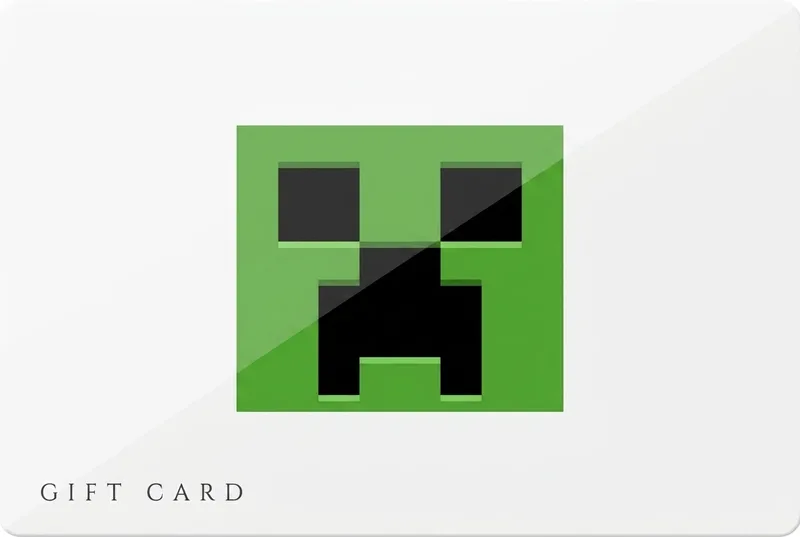
Minecraft Gift Card
Minecoins for the Marketplace — skins, worlds and texture packs.
- Instant delivery
- Coins never expire
- Official codes
- Cross-platform
The product
Minecraft Gift Card at a glance
Minecoins are the in-game currency of the Minecraft Marketplace — the official store for skins, texture packs, maps and full adventure worlds made by the community. Redeem a pack and the coins attach to your Xbox/Microsoft account, following you across phone, console and PC on Bedrock Edition.
It's the safest way to let younger players shop: a fixed coin budget, no card on file, and everything purchased is curated by Mojang. Codes arrive by email seconds after your crypto payment confirms.
- Instant deliveryMinecoin code by email in seconds
- Coins never expireSpend them sale after sale
- Official codesSourced from authorised distributors
- Cross-platformOne balance across Bedrock devices
Paying with crypto
How to buy a Minecraft Gift Card with crypto

- Pick the region where the card will be used (2 versions are available), then choose an amount.
- Add it to your cart and enter the email address the code should go to. No account or sign-up needed.
- Pay with Bitcoin, USDT (TRC-20 or ERC-20), Ethereum, Monero, Solana, Litecoin or TRON. Checkout shows the exact amount and the address to send it to.
- Your code is emailed as soon as the payment confirms on the blockchain. Then redeem it as shown below.
Availability
Minecraft Gift Card regions and amounts
- WorldwideMinecraft Marketplace · USD 8,800 Minecoins — $49.99
- United KingdomMinecraft Marketplace (UK) · GBP 3,500 Minecoins — £16.74
2 amounts in 2 regions. The code only works on the store listed for its region, so match the region to the recipient's account before you pay.
Two minutes, tops
How to redeem your Minecraft Gift Card
- Go to minecraft.net/redeemcoins (or use “Redeem” in the Minecraft game menu).
- Sign in with the Microsoft/Xbox account that plays Minecraft.
- Enter the code from your GiftKong email.
- The full Minecoin balance is applied instantly and synced to all your Bedrock devices.
Full guide: How to redeem a Minecraft Minecoins card
Good to know
- Minecoins work in Minecraft: Bedrock Edition (mobile, console, Windows) — not in Java Edition.
- Redeeming links the coins to one Microsoft/Xbox account; they are non-transferable.
- Coins have no expiry date and cannot be exchanged for cash.
- Marketplace content availability can vary by platform; exclusions may apply.
Questions
Minecraft Gift Card FAQ
Can I buy a Minecraft Gift Card with Bitcoin or crypto?
Yes. Pick a region and an amount, then pay with Bitcoin, USDT (TRC-20 or ERC-20), Ethereum, Monero, Solana, Litecoin or TRON. Your code is emailed as soon as the payment confirms, and no account is needed.
Do Minecoins work in Java Edition?
No. Minecoins are for the Marketplace in Bedrock Edition (phones, consoles, Windows 10/11). Java Edition has no Marketplace.
Which account do the coins go to?
The Microsoft/Xbox account you sign in with at redemption. The balance then follows you on every Bedrock device where you use that account.
How fast will I get my code?
Instantly — the code is emailed the moment your crypto payment confirms.
Do Minecoins expire?
No. Your coin balance stays on the account until you spend it.
Which cryptocurrencies can I pay with?
Eight options — Bitcoin, Ethereum, Monero, Litecoin, Solana and TRON, plus USDT on ERC-20 or TRC-20. All are shown at checkout.
What if my code doesn't work?
Codes come from official distributors; if one ever fails, contact support and we replace it fast.
Still have a question? Contact support
Good to know
Helpful guides
-
-
-


Choose your Minecraft region
The card only works on the store you pick — match it to the recipient's account.